

One of the most common concerns about AI-generated lesson plans is that the content sounds right but isn't actually grounded in anything official. Competency codes get invented. Grade-level placement is off. A lesson for Grade 5 references skills students won't encounter until Grade 7.
We built AcadiumLab's lesson plan generator specifically to avoid this. Here's how we approach curriculum alignment.
We Don't Rely on the AI to Know the Curriculum
Most AI tools generate lesson plans from the model's general knowledge of what lesson plans look like. The model has seen enough curriculum documents during training to produce something that resembles MATATAG format. Resemblance isn't alignment.
Our generator does not ask the AI to recall curriculum details from memory. Before any text is generated, the system retrieves the relevant competencies directly from a structured representation of the MATATAG curriculum. The AI's job is to generate instructional content around those competencies. It doesn't decide what the competencies are.
That difference matters in practice. A lesson plan citing SCI-G5-Q1-1 carries a different guarantee depending on how it got there. If the AI guessed the code sounded plausible, it might be wrong. If the system retrieved it from the actual DepEd source, it isn't.
We Built the Curriculum into a Knowledge Graph
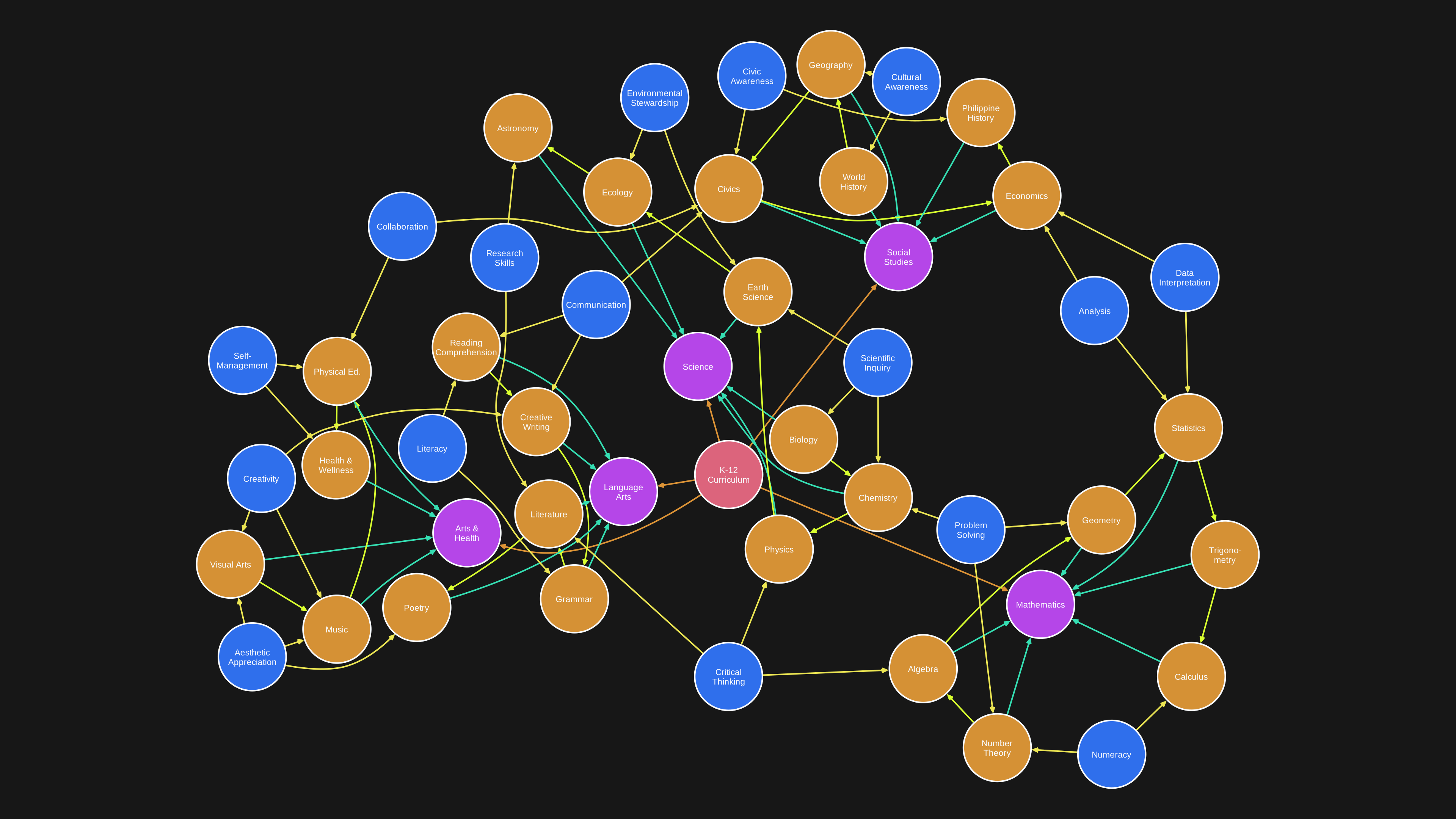
To make retrieval possible, we converted the entire MATATAG K–10 curriculum into a knowledge graph.
A regular document stores information in a sequence - page by page, section by section. A knowledge graph stores each piece of information as its own entry, with explicit links to every other piece it's related to. You can start from any point in the curriculum and follow the connections outward: this competency belongs to this topic, this topic is in this quarter, this quarter builds on these competencies from the grade before.
Each individual piece of curriculum information stored this way is called a node. We have a node for every competency, every subject, every grade level, every quarter, every topic, every content standard, and every performance standard in the MATATAG K–10 curriculum - 11,226 nodes in total.
The links between nodes are called edges. They represent meaningful relationships between pieces of information. We mapped 62,610 of these across the full curriculum. Two types are especially important for alignment:
Grade progression. We mapped 2,831 explicit prerequisite relationships across adjacent grade levels. The system knows which Grade 4 competencies a Grade 5 lesson builds on and surfaces that context automatically. That information isn't written anywhere in the curriculum documents themselves, but it's what experienced teachers carry in their heads.
Cross-curricular connections. We identified 5,440 connections between topics from different subjects that teach related concepts in the same quarter. A Quarter 2 Math topic on ratios and a Quarter 2 Science topic on concentration are connected. The same students are encountering both at the same time. These connections were discovered by comparing the meaning of topics across subjects, then verified before being added to the graph. They are not invented by the AI at generation time.
How the System Finds the Right Competencies
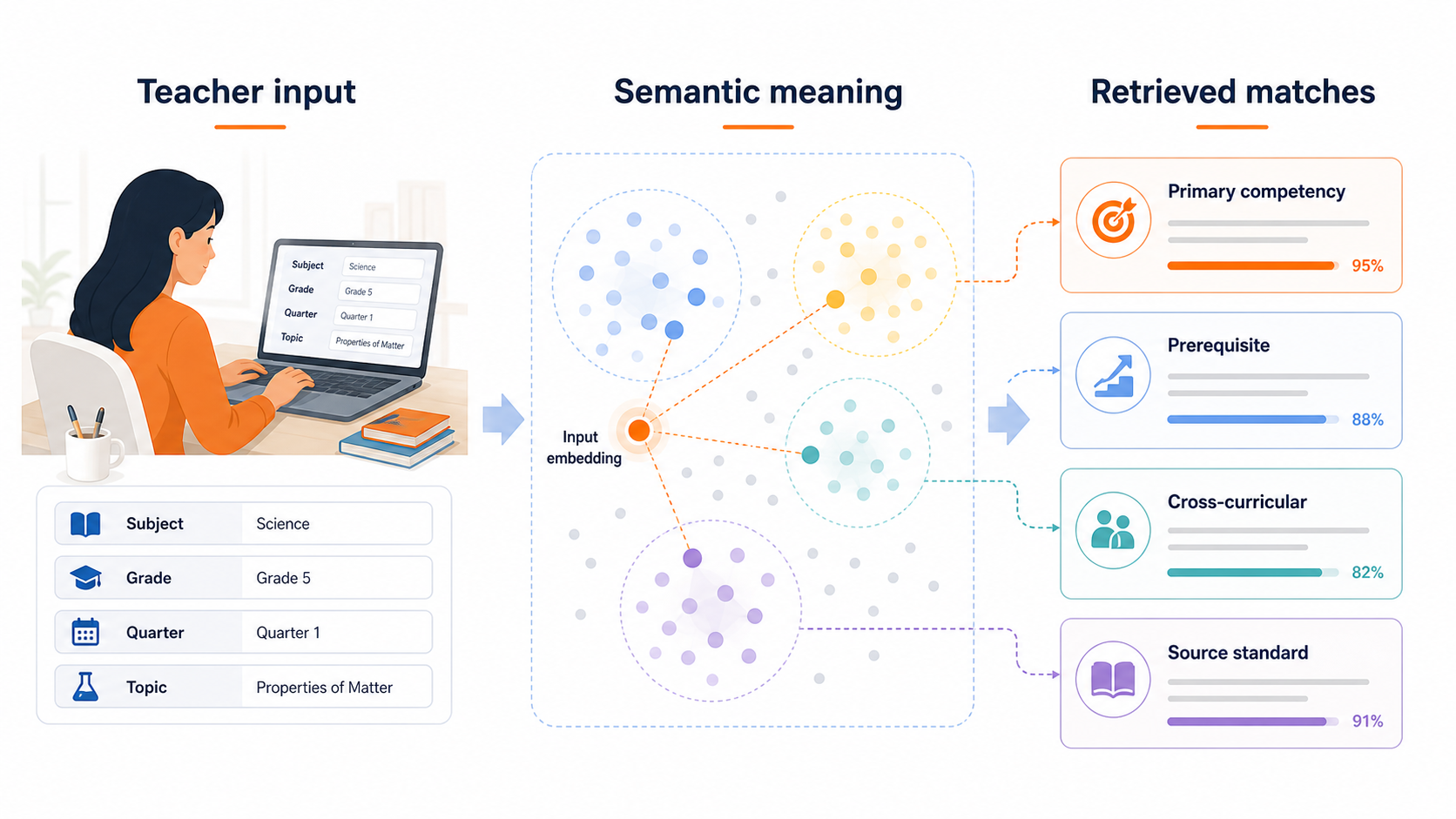
When a teacher inputs their lesson details (subject, grade, quarter, topic), the system needs to find which MATATAG competencies are most relevant. It does this through semantic search, which works differently from a standard keyword search.
A keyword search looks for exact word matches. If a teacher types "properties of matter," it finds competencies containing those exact words. The problem is that the curriculum describes the same concept in different ways across grades and documents. "Characteristics of materials" and "physical and chemical changes" are related to matter, but a keyword search treats them as unrelated.
Semantic search works on meaning instead of words. It converts text into a numerical representation that captures what the text is about. Two pieces of text that cover the same idea will produce similar numerical representations, even if the phrasing is completely different. This lets the system find the right competencies even when the teacher's input doesn't match the curriculum's exact wording.
The teacher's lesson details get converted this way and compared against the 1,088 topic groupings in the curriculum. The closest matches surface the primary competencies. From there, the system follows the edges in the graph to pull prerequisite competencies from the previous grade and cross-curricular connections from other active subjects that quarter.
All of that curriculum context gets passed to the AI alongside the MATATAG format guidelines. The AI generates the lesson plan within those boundaries. It cannot select competencies that the retrieval step didn't return.
Objectives Are Checked Against the Curriculum
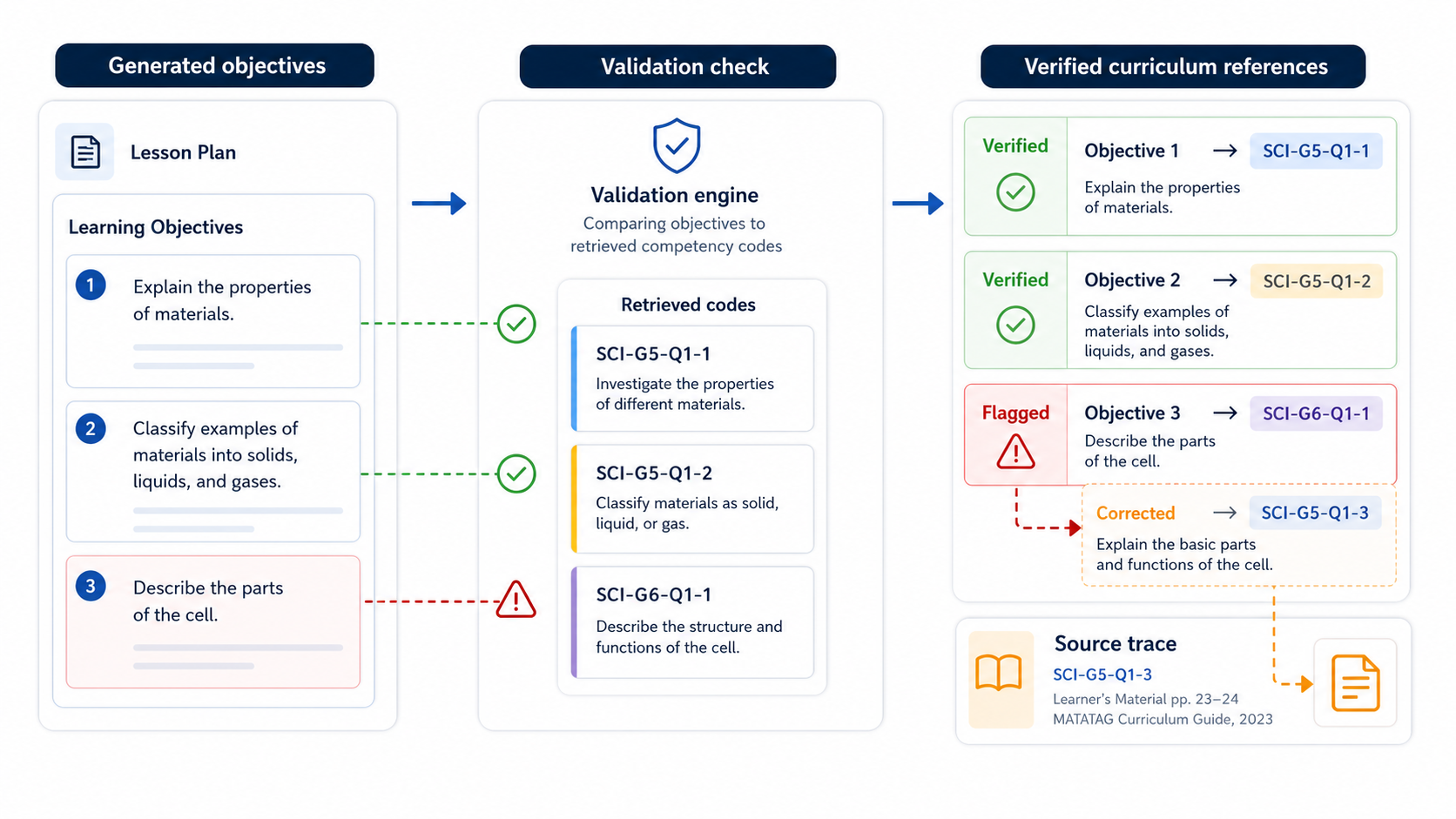
After the AI generates the lesson plan, the system runs a validation pass on the objectives. Each objective must reference a competency that was actually retrieved from the graph. If an objective cites a code that wasn't in the retrieval results, or one that doesn't exist in the graph at all, the system flags it and corrects the output before it reaches the teacher.
Teachers can click on any curriculum reference in a generated lesson plan and trace it back to the original DepEd source text. The code is there because the curriculum says it belongs to that grade, subject, and quarter. Not because the AI thought it sounded right.
Teachers Can See the Curriculum Reasoning
Beyond generating the lesson plan, teachers can trace every curriculum reference it used back to its source: which competencies were selected, how the graph links them to each other, and what the official DepEd source material says.
We don't want teachers to take the generated content at face value. We want them to be able to verify it, question it, and edit it. The curriculum graph makes that possible because every reference has a traceable source.
Curriculum alignment in AI-generated content isn't a setting you can toggle. It requires having the right data structure underneath. The knowledge graph is how we make sure the lesson plans AcadiumLab generates are starting from the right place.